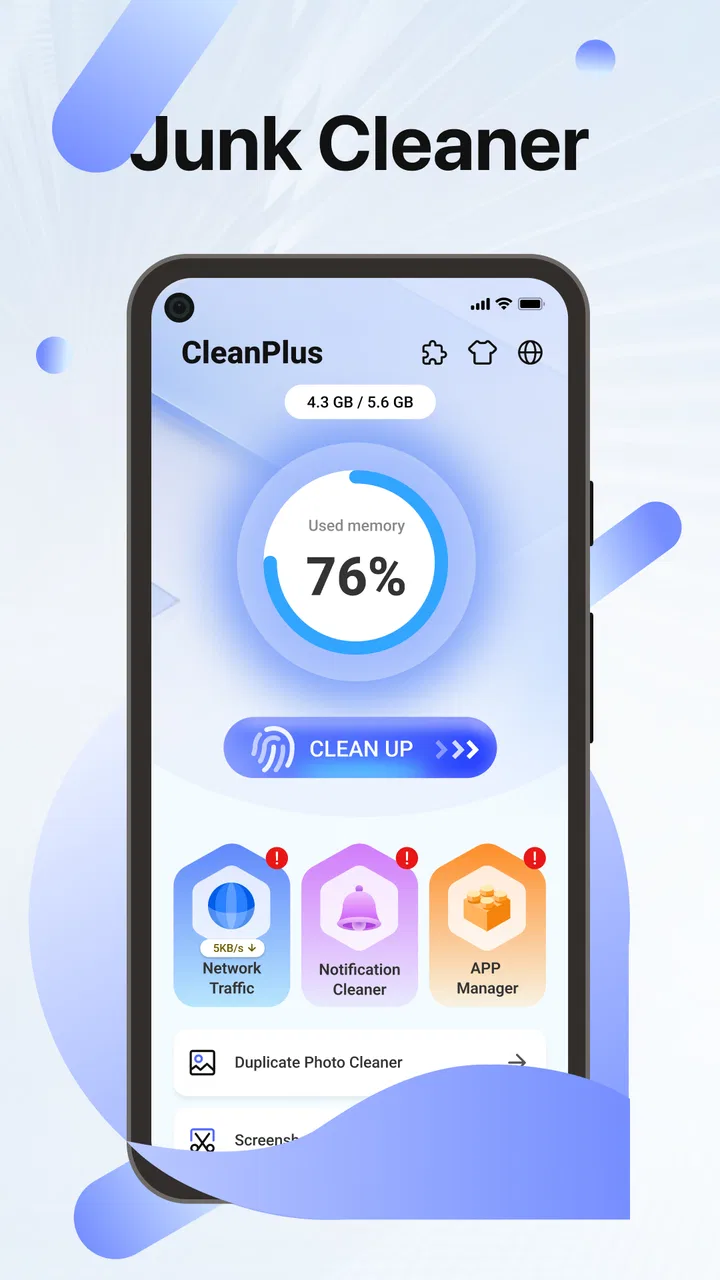
OnClean-Phone Clean
- 4.2
- Rating
- 1.00M
- Installs
- Free
- Price

 Analysis by App-foxy
I installed OnClean-Phone Clean to see whether it could make the ordinary job of clearing clutter feel less tedious. It is a free tools app from Ayadev2023, aimed at people who want a simpler way to review unwanted files and keep their phone more organized. The idea is easy to understand, but the useful question is whether an app like this actually improves your routine without creating new confusion or risk.
My overall impression is that OnClean-Phone Clean is best viewed as a practical maintenance assistant rather than a complete phone-management suite. It can appeal to someone who regularly runs out of storage, saves too many temporary downloads, or prefers having one place to begin a cleanup. It is less convincing for users who already manage files carefully with the built-in tools on their phone, or for anyone expecting deep device optimization and advanced controls.
How OnClean-Phone Clean feels in everyday use
The first thing I noticed is the app’s focused purpose. Instead of trying to be a social app, a backup service, and a security product at the same time, it stays centered on cleaning and organization. That narrow scope makes the concept approachable for a less technical user. You do not need to understand every folder on Android before deciding that it is time to inspect the phone.
You May Also Like

 Blood Strike: 2.5 Anniversary
Blood Strike’s Loadouts Turn Every Drop Into a Tactical Gamble
A close look at Blood Strike’s custom loadouts: how fast access to signature weapons reshapes its battle royale rhythm, rewards preparation, and narrows the gap between fights.

 Pandora - Music & Podcasts
Pandora’s Music Is Easy to Start, but Harder to Recover
Pandora’s strength is its low-effort path from a seed to a station. Its weak spot is how much confidence it asks you to place in connection, setup, and quiet recovery.

 8 Ball Pool
 Is Built on Rivalries, Rematches, and Routine
A close look at the rivalries, rematches, shared routines, and unanswered safety questions that turn a quick pool match into a persistent mobile community.

 Samsung Music
’s Quiet Strength Is Playing What You Already Own
Its reach comes less from spectacle than from dependable access to a personal library. That simplicity is both the app’s strongest retention engine and its ceiling.

 AccuWeather: Weather Radar
AccuWeather Review: A Quick, Clear Forecast for Everyday Decisions
For everyday plans, the best forecast is the one you can understand quickly. AccuWeather makes rain timing, radar, and local conditions easy to act on, with a few trade-offs.

 Hill Climb Racing
Why Hill Climb Racing Still Turns Crashes Into One More Run
A tiny car, a bumpy hill and one more upgrade: Hill Climb Racing keeps resurfacing because its simple chaos makes every near-miss feel personal.
More From Our News Desk



A realistic use case is a phone that has gradually filled up after months of messaging, browsing, downloading documents, and taking photos. Nothing feels dramatic day to day, but eventually updates become inconvenient and the camera may stop saving new pictures. In that situation, I would use OnClean-Phone Clean as a first-pass inspection tool: open it when the phone feels crowded, review what it identifies, and remove only items I recognize as unnecessary.
That last part matters. A cleaner should not turn into a button you press blindly. Files that look disposable can sometimes be needed by an app, useful for offline access, or important because they are the only copy left. My preferred workflow is to treat every suggested cleanup as a shortlist for human review, not as permission to erase everything at once. This approach makes the app more useful and reduces the chance of an unpleasant surprise.
The app is available at no cost and carries an Everyone age rating, which makes it easy to consider for a shared household device or for a family member who wants a straightforward maintenance tool. It runs on Android seven or later, so compatibility is broad enough for many older phones as well as newer models. Still, compatibility alone does not mean every phone will present storage in exactly the same way; Android manufacturers often organize settings and file access differently.
OnClean-Phone Clean has a 4.2 average from around 6.5 thousand ratings and has passed 1 million installs. Those figures suggest that the app has reached a meaningful audience, while the relatively focused concept explains why it may appeal to people who do not want a complicated dashboard. I would read that adoption as a reason to try it, not as proof that it will make every phone faster or solve every storage problem.
Where it helps more than manual cleanup
Android already includes storage screens and file managers, so the main value of a dedicated cleaner is convenience. The built-in options are often scattered across settings, gallery apps, download folders, and individual applications. OnClean-Phone Clean gives the cleanup task a clearer starting point, which can be valuable when you know the phone is full but do not know where to begin.
There is also a psychological advantage. A single maintenance session feels more manageable than opening several unrelated menus. I find that useful for occasional users who would otherwise postpone cleanup until storage becomes an emergency. The app’s role is not necessarily to discover something magical; it is to reduce the friction between noticing a problem and taking a sensible first step.
Another useful habit is to run a review before a long trip. Travel often means saving maps, tickets, videos, and photos while having fewer opportunities to transfer files elsewhere. A quick inspection beforehand can help identify old downloads and forgotten media. I would still leave a comfortable amount of free space rather than trying to fill the phone right up after cleaning, because new photos and offline content can accumulate quickly.
What the current release tells me
The current version is V1.0.6, and the app was released on January 21, 2026. That places it in an early stage of its product life, so I would expect the experience to keep developing rather than treating the present interface as a finished endpoint. The release information gives useful context: this is a relatively new tool with room to establish its approach, not a long-established utility with years of visible evolution behind it.
For an existing user, a version such as V1.0.6 is a reminder to keep the app updated through the normal store process. Cleaner apps interact with personal files, so stability is more important than chasing a new feature for its own sake. I would also check the results after an update and avoid assuming that a familiar-looking cleanup category behaves identically forever. Small changes in scanning or presentation can affect what deserves a second look.
The early version number also affects how I judge the product. I am more forgiving of a layout that could become clearer, but I am less willing to overlook confusing deletion choices. A young cleaner needs to earn trust through transparent review steps. If the app makes it easy to understand what will be removed and why, it has a solid foundation. If it encourages rushed confirmation, that is a serious weakness regardless of how polished the screen looks.
I would not describe the current release as evidence of a complete phone optimization system. Cleaning files and organizing storage are useful jobs, but they are different from improving network performance, repairing hardware, extending battery life, or protecting an account. Those expectations should stay separate. OnClean-Phone Clean makes the most sense when the problem is clutter, not when the phone has a deeper performance or software fault.
How I would use it without losing important files
My safest routine starts with the categories that are easiest to recognize. Old downloads, duplicate-looking media, and files connected to apps I no longer use are more comfortable to inspect than anything whose purpose is unclear. I would open or preview a file when possible, confirm that it exists somewhere else if it matters, and only then approve its removal.
A second useful habit is to clean in small sessions. Instead of selecting every suggestion after a long period of neglect, I would handle one group at a time and then check whether the phone still behaves normally. This makes mistakes easier to spot and gives a clearer sense of what actually freed space. It also prevents the common mistake of confusing a visually large list with a genuinely valuable cleanup opportunity.
Before using any cleaner, I would protect irreplaceable photos, recordings, work documents, and travel files through a separate backup or transfer routine. A cleaner can help organize local storage, but it should not be treated as a backup system unless that function is explicitly available and clearly explained. This distinction is especially important for people who keep their only copy of a file on the phone.
I would also avoid installing several cleaning apps at once. Multiple utilities can produce overlapping suggestions, compete for attention, and make it harder to know which action removed a file. OnClean-Phone Clean is easier to evaluate when it has one clear job in the routine. If the built-in Android tools already show exactly what needs attention, adding another app may not provide enough benefit to justify the extra layer.
One non-obvious trade-off is that organization and deletion are not the same thing. A phone can feel cleaner because files are easier to locate even when little storage has been recovered. Conversely, removing a large file may create space while leaving the remaining content just as difficult to manage. I would use OnClean-Phone Clean for both goals, but I would judge success separately: did it help me decide what belongs, and did it actually reduce clutter?
Who should consider it, and who should skip it
I think the app is a good fit for casual Android users who want a dedicated place to begin storage maintenance. It may also suit people who inherit an older phone, share a device with family members, or frequently download files without revisiting them. The simple promise is most valuable when the alternative is doing nothing because the phone’s own settings feel scattered.
It is also reasonable for someone who wants an occasional cleanup reminder in their personal routine, provided they remain involved in the review. A monthly or seasonal inspection can be more realistic than waiting until the storage warning appears. The app does not need to become a daily ritual; frequent cleaning can encourage unnecessary deletion and does not automatically improve the phone.
I would skip it if I already have a reliable file-management system and know exactly where my storage goes. A careful user can often get more precise control from Android’s native storage view, a gallery’s own duplicate review, or a desktop file manager. Those alternatives may take more effort, but they can make the source and destination of each file clearer.
I would also look elsewhere if my main concern is malware protection, battery drain, app crashes, or cloud backup. A cleaner’s name can create broad expectations, but those problems require different tools and different evidence. Installing a storage utility will not automatically diagnose a failing battery or secure a compromised account. OnClean-Phone Clean is strongest when the task is specifically related to unwanted local clutter.
Comparison with the usual alternatives
The closest alternative is the Android phone’s built-in storage management. Native tools have an important advantage: they are already part of the operating system and usually show information close to the source of the problem. They are the better choice for users who want maximum control and minimal app installation. OnClean-Phone Clean is more appealing when its presentation makes the first review easier for someone who does not enjoy navigating system settings.
File managers offer a different balance. They provide direct access to folders and filenames, which is useful when I need to move, rename, archive, or inspect a particular document. That precision can be more reassuring than a broad cleanup suggestion, but it demands more knowledge. OnClean-Phone Clean is less intimidating for a general cleanup session, while a file manager is better for deliberate organization.
Gallery applications are usually superior for sorting personal photos and videos because they show visual context. If the main problem is a crowded camera roll, I would start there before deleting anything from a general cleaner. OnClean-Phone Clean can still help with wider storage clutter, but it should not replace the gallery’s ability to recognize memories, albums, and media that I want to keep.
Cloud storage and computer transfers solve a different problem again. They preserve files instead of merely removing them, which is the better path for important material. Their drawback is that they require a destination, a reliable connection, and a habit of checking that the transfer completed. I see OnClean-Phone Clean as complementary only when I have already decided what can safely leave the device.
Remaining gaps and points of friction
The biggest limitation is inherent to this kind of app: no automated judgment can fully understand the personal value of a file. A temporary-looking item may be useful, and a large video may be a treasured memory. That means the app’s convenience depends on how clearly it presents choices and how carefully I review them. The less context a suggestion provides, the less comfortable I am approving it.
There is also a trade-off between simplicity and depth. A clean interface is helpful for beginners, but advanced users may want detailed folder paths, sorting controls, or more granular selection. If those controls are not central to the experience, the app may feel limited once a user moves beyond basic maintenance. That is not a flaw for its intended audience, but it does cap its usefulness as a full file-management replacement.
Another point to keep in mind is that freeing storage does not always make a phone feel dramatically faster. A nearly full device can become difficult to use, but many slowdowns come from background processes, aging hardware, poor signal, or an individual app behaving badly. I would measure OnClean-Phone Clean by whether it helps reclaim and understand space, not by expecting a universal performance transformation.
Because it is free, I would pay attention to the overall interaction rather than assuming that no-cost means no compromise. The important questions for me are whether the cleanup choices remain understandable, whether the app stays focused, and whether it asks for attention beyond the task I opened it to perform. A cleaner should save time, not turn maintenance into another source of notifications or decision fatigue.
What I would watch as the app develops
Since V1.0.6 is an early current release, I would watch for improvements that make decisions safer rather than merely adding more categories. Better explanations, clearer previews, and straightforward recovery options would matter more to me than a busier dashboard. A useful next stage would be one that helps users understand the consequence of each cleanup choice without making the process feel technical.
I would also look for consistency across different Android phones. Manufacturer interfaces vary, and a tool that feels clear on one device may present storage differently on another. Reliable behavior, predictable scanning, and careful handling of unusual folders would strengthen confidence. These are the kinds of product details that become important after the initial novelty wears off.
For existing users, the practical advice is simple: keep the app current, review results instead of accepting them automatically, and maintain a separate backup habit for anything irreplaceable. New users should begin with a small, low-risk cleanup session and see whether the app’s organization matches the way they think about their files. That first session will tell you more than the promise of a cleaner phone.
My final view is positive but measured. OnClean-Phone Clean gives ordinary Android users a focused way to start dealing with accumulated clutter, and its free access lowers the barrier to trying it. I appreciate the narrow purpose and the possibility of making an annoying task less scattered. At the same time, I would not hand over every deletion decision to it or expect it to replace native storage tools, a file manager, a gallery, or a backup service.
My recommendation is to use OnClean-Phone Clean as a careful first-pass organizer, not as an automatic erase button. If your phone is crowded and you want a simpler starting point, it is worth testing. If you need forensic control over folders, dependable archiving, security protection, or a solution to battery and performance problems, another tool will be a better match. Ayadev2023 has a useful foundation here; the app’s long-term value will depend on how well it continues to balance convenience with user control.
FAQs for OnClean-Phone Clean
01What is OnClean-Phone Clean and what does it do?
OnClean-Phone Clean is a mobile utility designed to help users organize and maintain storage on their Android or iOS device. It typically scans for unnecessary files, duplicate or similar photos, large videos, old downloads, and other items that may be taking up space. After reviewing the results, you can choose what to remove instead of deleting everything automatically. Its usefulness depends on the permissions, tools, and operating-system features available in the version you install.
02Is OnClean-Phone Clean safe to use and does it protect my personal data?
Before using OnClean-Phone Clean, review its privacy policy, requested permissions, developer information, and terms of service in the official app store. A cleaning app may need access to photos, videos, files, or contacts to identify content for review, but those permissions should be limited to what is necessary. Avoid granting access that seems unrelated, and do not confirm deletion until you have checked the selected items carefully.
03Can OnClean-Phone Clean delete important photos, files, or messages by mistake?
Any storage-cleaning tool can potentially remove something you wanted to keep if you approve the wrong selection. OnClean-Phone Clean may identify duplicate images, screenshots, cached content, or large files, but automated recommendations are not always perfect. Carefully preview every category before cleaning, back up important photos and documents, and remember that some operating systems may place deleted media in a temporary trash folder rather than offering permanent recovery.
04Will OnClean-Phone Clean noticeably improve my phone’s speed and battery life?
The main benefit of OnClean-Phone Clean is usually recovering storage space and making it easier to manage clutter, rather than dramatically increasing processing speed. Removing unnecessary files can help when the device is nearly full, which may improve general usability. However, a cleaner cannot fix hardware limitations, weak battery health, excessive background activity, or problems caused by poorly optimized apps. Results will vary depending on your phone’s condition.
05Is OnClean-Phone Clean free, and are there subscriptions or in-app purchases?
Check the current Google Play Store or Apple App Store listing before downloading because pricing, trial periods, advertisements, and available features can change. Some cleaning applications provide basic scanning at no cost but reserve advanced tools, unlimited cleaning, or an ad-free experience for a subscription or one-time purchase. If a trial is offered, read the renewal terms carefully and cancel it through your store account before the renewal date if you do not want to continue.
Pros
- Quickly identifies junk files and unnecessary cache.
- Simple interface that is easy for first-time users.
- Helps locate large files taking up valuable storage.
- Useful duplicate-file scanning for basic storage cleanup.
- Provides a convenient overview of available phone space.
Cons
- Some cleanup results may require manual review before deletion.
- Scanning can take longer on phones with extensive storage.
- Cleaner recommendations may vary between Android devices.
- Frequent notifications could be distracting for some users.
- Extra features or an ad-free experience may require payment.

OnClean-Phone Clean
Gallery